What if you could write better code in half the time, with a tool that understands your intent as clearly as a senior developer?
This question drives today’s software engineering revolution. A new platform has emerged that transforms how programmers work. It represents the cutting edge of developer tools, moving far beyond simple autocomplete.
BLACKBOX.AI leverages advanced artificial intelligence to assist with complex programming tasks. It analyzes context and generates precise, functional code snippets. This technology understands multiple languages and frameworks.
Modern software workflows demand higher productivity. This comprehensive solution addresses that need directly. It helps teams build applications faster while maintaining quality standards.
Our review explores this platform’s capabilities in depth. We examine its architecture, performance, and unique features. You’ll learn how it fits into the current development landscape.
The tool’s power comes from sophisticated machine learning models. These algorithms process vast amounts of coding data. They identify patterns and generate appropriate solutions for various problems.
Understanding this technology’s potential is crucial for developers. It can significantly impact daily productivity and project timelines. This analysis provides the insights needed to make informed decisions.
Key Takeaways
- BLACKBOX.AI represents a major advancement in developer assistance tools.
- It uses sophisticated models to generate context-aware code solutions.
- BLACKBOX.AI goes beyond basic completion to understand programming intent.
- Adoption can significantly boost coding efficiency and productivity.
- It fits seamlessly into modern software engineering workflows.
- The technology processes patterns from extensive development data.
- Understanding its capabilities helps developers make informed tool choices.
Beyond the Hype: What Is BLACKBOX.AI?
The name itself hints at the platform’s defining characteristic: remarkable capability paired with inherent mystery. This tool represents the cutting edge of automated software creation, where natural language descriptions transform directly into functional code.
At its foundation, this is an advanced code generation platform. It embodies both the immense power and the opacity of contemporary artificial intelligence systems. The platform moves far beyond suggesting the next line.
It constructs complete, context-aware solutions from simple prompts.
The core concept is a “black box” system. Users see what goes in and what comes out, but the internal decision-making remains hidden. This opacity is fundamental to how the most sophisticated machine learning models operate today.
These models analyze vast datasets through complex deep learning processes. They identify subtle patterns to generate appropriate solutions. Even the engineers who build them cannot fully trace every internal operation.
More Than Just a Code Assistant
Traditional tools offer autocomplete or snippet suggestions. This platform provides autonomous coding capabilities. Its CyberCoder agent can tackle entire programming tasks based on high-level instructions.
The system leverages an ensemble of complex machine learning models. Each model is trained on massive datasets of public code and documentation. This training allows it to understand intent across multiple languages and frameworks.
You describe a feature or solve a problem in plain English. The platform processes this natural language input. It then generates precise, working code that implements your description.
This represents a fundamental shift from assistance to generation. Developers maintain control over the final output but delegate the initial construction. The result is a significant acceleration in the development workflow.
The “Black Box” in BLACKBOX.AI: A Double-Edged Sword
The impressive results come with inherent complexity. The “black box” nature means the reasoning behind each code suggestion is not transparent. You receive the output without a clear explanation of the internal logic.
This is common among leading large language models. Their algorithms make connections across billions of data points. The processing that leads to a final decision is often inscrutable.
This creates a double-edged sword for software engineers. On one side, you get powerful, time-saving code generation. On the other, you face challenges around verification and trust.
How do you audit code when you cannot see the decision trail? Can you fully rely on the system’s accuracy for critical applications? These are important questions for teams adopting this technology.
The platform’s strength lies in its ability to handle complex problems. Yet, the lack of transparency requires robust human oversight practices. Developers must review and test all generated code thoroughly.
Understanding this balance is key to effective use. The tool offers tremendous productivity gains. It also demands a thoughtful approach to quality assurance and security review.
The Engine Room: Inside BLACKBOX.AI’s Core Architecture
The true innovation lies not in what you see, but in the sophisticated machinery operating behind the scenes. This platform’s power stems from a revolutionary architectural approach that combines breadth with precision.
BLACKBOX.AI connects developers to an unprecedented array of computational intelligence. The design prioritizes both raw capability and practical efficiency for real-world use.
The 300+ Model Ecosystem and Dynamic Selection
This system’s defining feature is its hybrid architecture. It provides unprecedented access to over 300 specialized models from every major provider.
The ensemble includes GPT-4o, Claude 3.5 Sonnet, Gemini Pro, LLaMA 3.1, and DeepSeek R1. Hundreds more are optimized for specific programming tasks and languages.
A dynamic selection system intelligently routes each task. It analyzes the programming language, task type, and optimization goals in real-time.
BLACKBOX.AI then matches the request to the most appropriate model. This ensures optimal performance for each unique development challenge.
This intelligent routing optimizes for three key factors: accuracy, speed, and cost efficiency. A Python data science task might trigger a different model than a React frontend development request.
The system learns from patterns in successful outcomes. It continuously refines its decision-making algorithms to improve results over time.
This represents a significant advancement over single-model approaches. Developers benefit from specialized expertise without needing to manually select tools.
The architecture handles the complexity of model coordination seamlessly. Users experience consistent, high-quality output regardless of the underlying operations.
CyberCoder: Your Autonomous Coding Agent
The CyberCoder agent embodies this platform’s most powerful capability. It handles complete multi-step development tasks independently without constant human intervention.
This goes far beyond simple code completion or answering questions. CyberCoder can implement entire features from high-level descriptions.
It refactors codebases, fixes complex bugs, and completes projects. The agent breaks down goals into executable plans before writing code across multiple files.
CyberCoder then runs tests, analyzes errors, and self-corrects issues. This autonomous problem-solving represents a paradigm shift in developer tools.
The October 2025 update introduced multi-agent parallel execution. Multiple AI agents now work simultaneously on the same problem.
An AI judge then selects the best solution from the competing outputs. This collaborative approach mimics expert team dynamics for superior results.
CyberCoder supports all 20+ major programming languages. It integrates directly with popular development environments through dedicated extensions.
The SMS task assignment feature enables unique remote workflows. Developers can text instructions to their agent and receive completed work later.
This allows continuous progress even when away from computers. Teams can maintain momentum across different time zones and work schedules.
This architecture showcases both the power and complexity of modern black box systems. The lack of transparency in decision-making processes presents verification challenges.
Developers must implement robust review practices for all generated code. The incredible productivity gains come with responsibility for final quality assurance.
The system’s intelligence lies in its ability to navigate this balance. It provides transformative assistance while acknowledging the need for human oversight.
Intelligent Code Generation and Real-Time Context
At the intersection of human intent and machine execution lies the platform’s most transformative capability. This feature converts plain English descriptions directly into functional, production-ready code.
The system analyzes natural language inputs with sophisticated understanding. It interprets developer requests within the full context of the current project.
Real-time autocomplete represents the practical application of this intelligence. As you type, the platform examines multiple data points simultaneously.
It considers the active file, related project files, and imported libraries. The system also analyzes established coding patterns within your codebase.
This context-aware processing generates appropriate suggestions as you work. The output reflects deep understanding rather than simple pattern matching.
The capability extends far beyond basic word completion. It predicts entire function implementations based on partial signatures.
The platform generates complex data structures matching your project’s needs. It suggests appropriate error handling tailored to specific operations.
This intelligent assistance adapts to individual project coding styles. The system learns from your codebase patterns over time.
Suggestions become increasingly relevant with continued use. This learning mechanism represents a key advantage for development teams.
The black box nature enables these sophisticated operations. Complex algorithms process vast information to produce precise output.
Users experience the benefits without understanding internal decisions. This represents the practical value of advanced machine learning models.
Consider a common example across different programming frameworks. A developer describes a user authentication feature in plain English.
The system generates complete implementation code in the target language. It includes proper security measures and error handling based on context.
Another example involves data processing workflows. Natural language descriptions transform into optimized database queries.
The platform maintains consistency with existing project patterns. This reduces integration time and potential errors.
Real-time assistance balances automation with necessary control. Developers maintain final authority over all generated code.
The system suggests while humans verify and refine. This partnership optimizes both speed and accuracy.
Multiple factors influence each suggestion’s relevance. The platform weighs current file context against project-wide patterns.
It considers library dependencies and established architectural decisions. This comprehensive analysis produces highly targeted results.
The learning mechanisms operate continuously during development work. The system refines its understanding of your specific coding style.
It recognizes preferred patterns for error handling and data structures. These insights improve future suggestions throughout the project lifecycle.
This feature significantly reduces cognitive load for development teams. Engineers focus on architectural decisions rather than routine implementation.
The platform handles repetitive coding patterns automatically. This maintains code quality while accelerating delivery timelines.
Consistency improves across large codebases with multiple contributors. The system enforces established patterns through its suggestions.
Team workflows benefit from this intelligent assistance. Developers spend less time on boilerplate code and more on creative problem-solving.
The end result is higher productivity without compromising standards. Projects move forward faster while maintaining robust quality controls.
Multi-Modal Capabilities: Voice, Image, and Design to Code
The future of programming interfaces isn’t just about typing—it’s about speaking, showing, and designing your way to functional code. This platform distinguishes itself through unique multi-modal features absent from competing tools.
These capabilities extend assisted development beyond text into voice, visual, and design domains. Users interact with the system through natural conversation and visual inputs.
The approach represents innovative applications of advanced computational systems. Different input modalities trigger specialized processing pathways within the architecture.
Voice-First Development with ElevenLabs
The platform selected ElevenLabs Agents to power voice capabilities across its products. This strategic partnership enables voice-first workflows unavailable in other coding assistants.
Over thirty million developers gain access to natural, conversational interfaces. The integration delivers measurable benefits for teams and individual users.
Faster incident resolution occurs through conversational alerts and explanations. Developers receive voice-guided troubleshooting instead of reading lengthy documentation.
Quicker onboarding happens via voice-guided explanations of complex systems. New team members learn codebases through interactive dialogue rather than static manuals.
Increased platform usage and retention stem from this intuitive interface. The voice system reduces cognitive load during extended development sessions.
Practical implications extend to accessibility, remote work, and different learning styles. Voice commands enable hands-free coding during commutes or multitasking scenarios.
Remote teams benefit from verbal collaboration that feels more natural than typed messages. Auditory learners grasp concepts faster through spoken explanations.

Image-to-Code and Figma Conversion
Visual design inputs transform directly into functional implementations through sophisticated processing. The system analyzes images and design files to generate corresponding code.
Upload a screenshot or mockup, and the platform creates working components. This bridges the gap between design and development workflows significantly.
Figma conversion features translate design files directly into production-ready code. Designers and engineers maintain consistency without manual translation steps.
The underlying models process visual information through complex pattern recognition algorithms. They identify UI elements, layouts, and interactive components within images.
These systems then generate appropriate HTML, CSS, or framework-specific code. The output matches the visual design while following best practices.
Consider a common example: uploading a website mockup. The platform analyzes the image’s structure, colors, and element relationships.
It produces clean, semantic code implementing the visual design accurately. Developers receive a solid foundation they can refine and extend.
Another example involves converting Figma designs into React components. The system preserves spacing, typography, and interactive states defined by designers.
This automation reduces repetitive translation work between teams. Projects move from concept to implementation with remarkable speed.
The black box nature enables these sophisticated visual processing operations. Complex algorithms analyze pixel data and spatial relationships.
Users benefit from accurate results without understanding the internal decision processes. This represents the practical value of advanced machine intelligence.
Planned expansions include multilingual voice support for global teams. Real-time deployment capabilities will leverage ElevenLabs technology further.
The platform continues evolving beyond traditional text-based interfaces. These multi-modal features redefine how developers interact with their tools.
Seamless Integration: IDEs, CLI, and Mobile Access
A tool’s impact multiplies when it meets developers where they already work, across every environment they use daily. This platform delivers unmatched flexibility through comprehensive integration options.
It connects with over thirty-five development environments. This ensures compatibility with virtually any professional workflow.
VS Code, JetBrains, and the Standalone IDE
The Visual Studio Code extension demonstrates massive adoption with 3.96 million installs. It provides deep integration within Microsoft’s popular editor.
This extension taps directly into the editor’s native features. Developers experience intelligent assistance without switching contexts.
JetBrains IDE support covers PyCharm, IntelliJ IDEA, WebStorm, and Android Studio. Dedicated plugins bring the same powerful features to these environments.
Each plugin respects the unique interface and shortcuts of its host IDE. This maintains familiar workflows while adding advanced capabilities.
The standalone IDE represents a complete development environment. It builds intelligent features directly into the core experience.
This application eliminates dependency on third-party extensions. Everything works together from installation.
Teams benefit from consistent performance across different setups. The standalone option provides maximum control over the development environment.
The Blackbox CLI and Mobile App Advantage
The command-line interface tool, introduced in September 2025, enables terminal-based workflows. Developers execute tasks directly from their shells.
This CLI supports scripting and automation scenarios. It integrates with existing build processes and deployment pipelines.
Mobile applications for iOS and Android provide unique flexibility. These enable code review during commutes and quick debugging away from desks.
Learning happens on-the-go through interactive examples. Remote task assignment to autonomous agents continues progress outside the office.
This platform stands alone as the only mainstream coding assistant with dedicated mobile apps. This creates advantages for remote and mobile development teams.
The web application at the official domain offers browser-based coding. No installation requirements block immediate use.
Desktop applications for Windows, macOS, and Linux deliver native performance. Offline capabilities ensure work continues without internet access.
These multiple access points demonstrate commitment to diverse developer workflows. The system adapts to individual preferences rather than demanding conformity.
Each integration method maintains consistent output quality. The underlying intelligence operates reliably across different interfaces.
Security measures protect code and user information in every environment. Privacy controls apply uniformly regardless of access point.
This comprehensive approach solves the problem of tool fragmentation. Developers gain a unified assistant across all their work contexts.
Proving Its Mettle: BLACKBOX.AI Performance and Benchmarks
The ultimate test for any development tool comes not from marketing claims but from measurable performance data. This platform’s capabilities face rigorous evaluation through industry-standard benchmarks and real-world usage statistics.
These metrics provide objective evidence of effectiveness across diverse programming scenarios. They separate promising tools from proven solutions in competitive markets.
#1 on SWE-bench: The Gold Standard
The platform achieved the top ranking on SWE-bench Lite with a 49% problem resolution rate. This benchmark represents the gold standard for measuring real-world software engineering capabilities.
SWE-bench tests coding assistants against actual GitHub issues from popular open-source projects. It requires tools to understand complex problems and generate appropriate solutions.
The generated code must pass existing test suites to count as resolved. This mirrors the challenges developers face in professional environments.
The 49% resolution rate significantly outperforms most competing systems. It demonstrates exceptional ability to handle complex, multi-file development challenges.
These results validate the platform’s sophisticated architecture for practical tasks. The benchmark focuses on real-world rather than synthetic challenges.
Measured Productivity Gains and Speed Improvements
Real-world usage data from over 12 million developers reveals substantial productivity gains. Teams report measurable improvements across multiple performance metrics.
Developers experience 96% speed improvement for repetitive coding tasks. This includes boilerplate generation, CRUD operations, and API wrapper creation.
Average coding efficiency increases 55% across all task types when using the platform. This compares directly against unassisted development workflows.
Code review and testing times improve 15% faster with AI-assisted debugging. Automated test generation accelerates quality assurance processes.
Enterprise deployments at Fortune 500 companies show impressive results. These organizations measure 30-40% operational cost reduction in development departments.
Overall development cycles accelerate by 40% in documented cases. Teams deliver projects faster while maintaining quality standards.
These performance metrics validate the effectiveness of the platform’s black box architecture. The complex machine learning models deliver practical benefits despite their opacity.
Benchmark performance provides crucial evaluation criteria for coding assistants. Real-world testing reveals true capability beyond theoretical potential.
The system’s accuracy in solving genuine programming issues builds user trust. Developers gain confidence in the platform’s output for critical applications.
Productivity gains translate directly to business advantages for organizations. Faster development cycles and reduced costs create competitive edges.
The platform’s learning algorithms continuously improve from user interactions. This creates a positive feedback loop that enhances future results.
Teams benefit from consistent performance across different programming languages. The system adapts to various frameworks and development environments.
These measurable improvements demonstrate the platform’s transformative potential. They provide concrete evidence for decision-makers evaluating development tools.
BLACKBOX.AI vs. The Competition: A Head-to-Head Analysis
In the crowded landscape of developer tools, direct comparisons reveal which solutions deliver genuine value versus mere convenience. This analysis examines how the platform stacks against leading alternatives.
Each competitor brings distinct strengths to the table. Understanding these differences helps teams make informed decisions.
The right choice depends on specific organizational needs and development priorities. Some tools excel in ecosystem integration while others offer superior performance.
BLACKBOX.AI vs. GitHub Copilot: Performance vs. Ecosystem
GitHub Copilot benefits from deep integration within Microsoft’s development ecosystem. It leverages the vast GitHub repository network for context.
This platform delivers superior benchmark performance. It achieved a 100% success rate versus Copilot’s 80% in standardized testing.
Code execution happens approximately twice as fast. The system requires fewer manual interventions to complete complex tasks.
Autonomous agent capabilities represent the key differentiator. This feature enables handling multi-step workflows that would need human guidance with Copilot.
The underlying machine learning models process tasks with greater independence. Developers experience more complete solutions with less oversight.
Copilot’s strength lies in its seamless GitHub and Visual Studio Code integration. Teams deeply embedded in Microsoft’s ecosystem may prioritize this connectivity.
This platform focuses on raw performance and autonomous operation. Its architecture prioritizes task completion efficiency over ecosystem dependencies.
BLACKBOX.AI vs. Cursor: Features vs. Native Integration
Cursor excels at understanding context across multiple project files. Its native integration provides smooth workflow experiences.
Benchmark comparisons show this platform’s advantage in success rates. It delivered 100% success versus Cursor’s 90% in identical testing scenarios.
The difference becomes clearer in intervention requirements. This system needed zero manual adjustments while Cursor required two.
Cursor’s multi-file context understanding remains impressive. It analyzes relationships between components across an entire codebase.
This platform counters with autonomous agents and multi-model architecture. These features provide superior efficiency for complex projects.
Coordination across multiple files and systems happens more smoothly. The dynamic model selection routes each task to the optimal processing pathway.
Teams valuing deep native integration might prefer Cursor’s approach. Those prioritizing feature breadth and autonomous operation will find this platform more compelling.
The decision often comes down to workflow preferences versus capability requirements. Both tools represent significant advancements over traditional development methods.
BLACKBOX.AI vs. Windsurf (Codeium) and Tabnine
Windsurf, formerly Codeium, positions itself as a comprehensive development environment. It includes Cascade agentic workflow engine and built-in deployment infrastructure.
This platform undercuts Windsurf’s pricing significantly. It costs $8 monthly versus Windsurf’s $15 for comparable service tiers.
The model selection difference is substantial. This system provides access to over 300 specialized models versus Windsurf’s more limited collection.
Windsurf’s Cascade engine enables sophisticated multi-step processes. Its deployment tools simplify moving code from development to production.
Tabnine takes a different approach focused on privacy and security. It offers SOC2 certification and air-gapped environment support.
This appeals to regulated industries with strict compliance requirements. Tabnine’s Pro plan costs $12 monthly but lacks this platform’s feature breadth.
Self-hosted deployment options give Tabnine advantages for sensitive applications. Organizations handling proprietary or classified data may prefer this model.
This platform’s cloud-based approach prioritizes accessibility and feature richness. Its performance benchmarks exceed what Tabnine delivers in most scenarios.
The choice between these alternatives involves trade-offs. Windsurf offers integrated deployment while Tabnine provides superior security controls.
This platform balances cost, performance, and capability access. Its multi-model architecture delivers strong results across diverse development challenges.
Each solution serves different organizational priorities effectively. The optimal selection depends on specific compliance needs and workflow requirements.
Pricing and Plans: From Free Tier to Ultimate Power
Accessibility meets power in a pricing structure designed for developers at every stage of their journey. The platform offers clear pathways from experimentation to enterprise deployment.
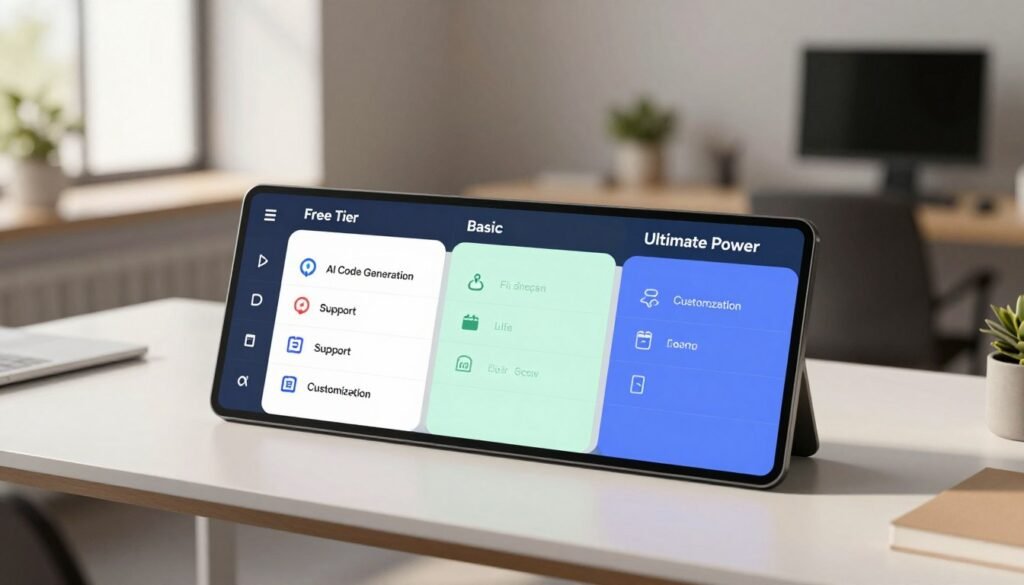
Three distinct tiers address different needs and budgets. Each level unlocks specific capabilities while maintaining core functionality.
The approach ensures value for individual professionals and large teams alike. Organizations can scale their access as requirements evolve.
What You Get for Free
The free tier provides full access to core features without requiring a credit card. This makes advanced coding assistance available to everyone.
Users experience intelligent code generation across multiple programming languages. The system analyzes context to produce relevant suggestions.
Real-time autocomplete and basic error detection operate without limitations. Developers can test the platform’s capabilities extensively.
Access includes the standard selection of machine learning models. These handle common programming tasks with good accuracy.
Integration with popular development environments works seamlessly. The free version supports essential workflows for learning and experimentation.
This generous approach lowers barriers for students and hobbyists. Professionals can evaluate the tool before committing financially.
Pro and Ultimate: Unlocking Advanced Features
The Pro plan enhances capabilities for serious development work. It includes priority access to specialized models and expanded limits.
Autonomous agent functionality becomes available at this tier. CyberCoder can handle complex multi-step tasks independently.
Priority support ensures faster resolution of technical issues. Advanced security features protect sensitive code and user information.
The Ultimate plan represents the peak of performance. Subscribers gain direct access to high-performance GPUs including NVIDIA A100s, H100s, and V100s.
This accelerates code execution and model inference significantly. Computational tasks complete faster with dedicated hardware resources.
Machine learning and data science applications benefit tremendously. Computer vision projects process visual data with remarkable speed.
Complex algorithms run efficiently without infrastructure management overhead. Teams focus on development rather than system administration.
The on-demand approach eliminates waiting for cloud resource provisioning. Developers experience consistent performance during intensive operations.
Comparing costs reveals strong value positioning. The platform undercuts several major competitors in monthly pricing.
GitHub Copilot charges $10 monthly for comparable features. Cursor’s pricing reaches $20 for similar capabilities.
Windsurf (formerly Codeium) costs $15 per month. Tabnine’s Pro plan is priced at $12 monthly.
This platform delivers broader model access at competitive rates. The pricing reflects performance benchmarks and feature breadth.
Different developer types find appropriate solutions within this structure. Students and beginners benefit from the comprehensive free tier.
Individual professionals typically choose the Pro plan for enhanced features. Teams and enterprises select Ultimate for GPU access and advanced security.
Model access limits increase with each pricing level. Autonomous agent capabilities expand accordingly.
Integration options remain consistent across all tiers. The system maintains reliability regardless of subscription level.
The overall value proposition balances cost against demonstrated results. Performance benchmarks justify the investment for serious development work.
Productivity gains translate to tangible time savings. Reduced errors and faster completion deliver return on investment.
The black box architecture’s complexity is accessible at multiple price points. Organizations can start small and scale as confidence grows.
This tiered approach supports diverse development environments and team sizes. Each plan addresses specific workflow requirements effectively.
The Reality Check: Accuracy and the Need for Human Oversight
The most critical aspect of any coding assistant isn’t its speed but its accuracy in real-world applications. Impressive demonstrations must translate to reliable daily performance.
This platform demonstrates approximately 65% code generation accuracy in standardized testing. Roughly two-thirds of generated code requires minimal or no modification before use.
This accuracy rate reflects current industry standards for automated development tools. The inherent limitations of machine learning with complex, production-ready code create this ceiling.
Built-in testing and automatic error correction improve initial accuracy through iterative refinement. The system analyzes its own output against predefined criteria.
It identifies potential issues and generates corrected versions. This self-checking mechanism addresses common syntax and logic problems.
The autonomous CyberCoder agent self-corrects errors through iterative testing cycles. It often achieves higher final accuracy than single-pass generation approaches.
This agent runs generated code through validation steps before presenting results. Multiple refinement passes produce more reliable output for complex tasks.
Human review remains essential for all machine-generated code regardless of accuracy rates. No automated system can replace developer judgment for critical applications.
Developers must validate functionality against original requirements. They ensure security best practices are properly implemented throughout the code.
Verifying edge case handling requires human understanding of business logic. Testing integration with existing systems demands contextual knowledge.
The balance between automation and human judgment defines effective development workflows. Black box systems provide powerful assistance but not complete solutions.
Even highly accurate automated tools require human intervention for quality assurance. Security validation needs expert review of potential vulnerabilities.
Architectural consistency across a codebase requires human oversight of design patterns. The system’s output must align with established team standards.
Practical integration guidelines maintain appropriate oversight while leveraging automation. Establish clear review checkpoints for different types of generated code.
Implement automated testing for all machine-generated components. Maintain version control with clear annotations about automation sources.
Accuracy implications vary across different coding task types. Boilerplate generation typically achieves higher reliability rates.
Complex algorithm implementation presents greater challenges for automated systems. The black box nature makes debugging difficult when issues arise.
Understanding these limitations helps developers use the tool effectively. It sets realistic expectations for what automation can achieve.
The platform’s learning algorithms improve from user corrections over time. This feedback loop enhances future results for similar tasks.
Developers contribute to the system’s improvement through their review processes. Each correction teaches the models about specific requirements.
This collaborative approach maximizes benefits while maintaining necessary oversight. The technology serves as an assistant rather than a replacement.
Teams establish workflows that leverage automation without compromising quality. Clear protocols determine which tasks suit automated generation.
Critical systems receive more rigorous human review than experimental prototypes. The context determines the appropriate level of oversight.
This realistic perspective on accuracy enables productive use of advanced tools. Understanding limitations prevents over-reliance on automated outputs.
Security, Privacy, and the Transparency Question
The adoption of sophisticated automation tools inevitably raises critical concerns about data protection and operational transparency. Organizations must evaluate how these systems handle sensitive code and user information.
This evaluation becomes more complex with platforms that operate as black boxes. The inherent opacity creates unique challenges for security verification and regulatory compliance.
Teams need clear understanding of data handling practices before integration. They must assess potential risks alongside the productivity benefits.
Data Handling and Encryption
The platform implements comprehensive security measures across all subscription tiers. These protect both user data and generated code from unauthorized access.
Data encryption occurs during transmission and storage. The system uses industry-standard protocols to secure information throughout processing.
September 2025 updates introduced enhanced security features for paid plans. These include end-to-end encryption support for sensitive development workflows.
This encryption ensures code remains protected from interception. It also safeguards proprietary algorithms and business logic.
Different competitors approach security with varying priorities. Tabnine emphasizes SOC2 certification and self-hosted deployment options.
This appeals to organizations with strict compliance requirements. Healthcare and financial institutions often prefer these controlled environments.
The platform balances accessibility with protection through its cloud-based architecture. Paid tiers receive additional security features beyond the free version.
Teams should evaluate their specific regulatory needs before selection. Sensitive applications may require more controlled deployment models.
Navigating the “Black Box” Trust Factor
Opacity creates inherent security challenges within advanced systems. Organizations cannot see everything happening inside a black box model.
This means potential vulnerabilities might remain undetected. The lack of transparency complicates security audits and vulnerability assessments.
Generative systems face specific attack vectors like prompt injection. These attacks can secretly alter a model’s behavior without user knowledge.
Data poisoning represents another serious threat. Malicious training data can influence output quality and reliability.
If users cannot see internal processes, they won’t know when alterations occur. This creates trust challenges for critical development work.
Bias concerns also emerge with opaque machine learning systems. Any tool can reproduce human biases present in training data.
With black box models, identifying bias causes becomes especially difficult. The platform addresses this through diverse training datasets and output monitoring.
Regulatory compliance presents additional hurdles. The European Union AI Act sets strict rules for automated decision-making tools.
The California Consumer Privacy Act (CCPA) governs sensitive personal data usage. Black box systems complicate compliance verification during audits.
Organizations struggle to prove they meet regulatory standards. The internal decision processes remain hidden from examination.
Building trust requires practical evaluation strategies. Teams should implement specific measures when assessing opaque systems.
Review the provider’s security documentation and compliance certifications. Examine their data handling policies and breach response procedures.
Test the system with controlled scenarios before full deployment. Monitor output consistency across different input types and conditions.
Establish clear review protocols for all generated code. Maintain human oversight for security-critical applications.
Implement additional testing for components handling sensitive data. Use automated security scanning alongside manual code review.
These practices help mitigate risks while leveraging productivity benefits. They create balanced workflows that respect security requirements.
The trust factor ultimately depends on demonstrated reliability over time. Consistent performance builds confidence despite system opacity.
Organizations should start with non-critical applications during evaluation. Gradually expand usage as trust develops through positive experiences.
Regular security assessments should continue throughout the adoption lifecycle. This ensures ongoing protection as threats evolve.
Who Is BLACKBOX.AI Best For?
Choosing the right development assistant requires matching its strengths directly to your team’s profile and priorities. This platform delivers exceptional value for specific user types and organizational contexts.
Its unique architecture creates distinct advantages and limitations. Understanding these helps you make an informed decision.
The Ideal User Profile
The platform serves developers seeking maximum productivity gains through diverse model access. It excels for those who prioritize raw performance over deep ecosystem lock-in.
Full-stack engineers benefit tremendously from its multi-language support. They can switch contexts without changing tools.
Data scientists and machine learning engineers gain from specialized processing. The system handles complex algorithms and data workflows efficiently.
Teams working on complex, multi-technology projects find great value. The dynamic model selection routes each task optimally.
Organizations without strict self-hosting requirements fit well here. The cloud-based approach offers powerful features without infrastructure management.
These users value benchmark results and cost-effectiveness. They want broad capabilities at a competitive price point.
When to Consider an Alternative
Some development environments have specific needs this platform cannot meet. Regulatory requirements and existing infrastructure dictate these decisions.
GitHub Copilot becomes preferable for teams deeply invested in Microsoft’s ecosystem. Its native GitHub integration is unmatched for those workflows.
Organizations needing specific compliance certifications might also look elsewhere. Copilot’s established enterprise track record appeals here.
Cursor offers advantages for teams prioritizing multi-file context awareness. Its .cursorrules system enforces consistent coding standards automatically.
This suits projects where architectural cohesion is the primary concern. The tool’s deep understanding of codebase relationships is a key strength.
Windsurf (formerly Codeium) could be better for teams needing built-in deployment infrastructure. Its Cascade engine and hosting tools simplify the path to production.
Self-hosted enterprise options are also available with Windsurf. This provides more control over the deployment environment.
Tabnine is essential for regulated industries like finance and healthcare. These sectors require air-gapped environments and maximum security compliance.
Government projects with strict data privacy rules often choose Tabnine. Its SOC2 certification and controlled deployment model address these challenges.
Evaluate your team’s specific constraints before selecting any tool. Consider your regulatory landscape and existing technology stack.
Match the platform’s capabilities to your most frequent development problems. The right choice accelerates your work without creating new issues.
Conclusion: Is BLACKBOX.AI the Ultimate Choice for Developers?
Selecting an optimal code generation platform involves balancing raw capability with real-world usability factors. This solution delivers unprecedented access to over 300 specialized models and top benchmark results.
Its #1 SWE-bench ranking and 96% productivity gains for repetitive tasks demonstrate real value. Unique features like multi-modal input and autonomous agents set it apart from competitors.
The black box nature requires thoughtful human oversight despite impressive accuracy rates. Developers must review all generated code for security and functionality.
For teams prioritizing performance and feature diversity over deep ecosystem integration, this platform represents a compelling choice. Its competitive pricing delivers strong value per dollar.
Start with the free tier to evaluate fit with your workflows. Progress to paid plans if you need advanced capabilities and GPU access.
Ultimately, the right decision depends on your specific development context, team priorities, and compliance requirements.
FAQ
What is the main difference between BLACKBOX.AI and other code assistants?
The key difference lies in its architecture and performance. While many tools use a single model, this platform employs a dynamic system that selects from over 300 specialized models for each task. This approach, combined with its autonomous CyberCoder agent, has led it to top industry benchmarks like SWE-bench, often outperforming competitors in raw coding accuracy and problem-solving.
How does the platform handle my code and data privacy?
Security is a primary focus. Your code and data are protected with enterprise-grade encryption both when stored and while being transmitted. The company follows strict data handling policies and does not use your private code to train its public models. For teams needing extra assurance, self-hosting options are available to keep all information within your own infrastructure.
Can I use this tool to generate code from a design image or voice command?
A> Yes, its multi-modal features are a major strength. You can upload a screenshot or a Figma design, and it will convert the image into functional code. For voice, it integrates with ElevenLabs’ technology, allowing you to describe features or ask questions verbally to generate code hands-free, speeding up development workflows significantly.
Is there a free plan, and what are its limits?
There is a robust free tier available. It includes access to core code generation, search capabilities for developers, and the Chrome extension. The free plan has daily usage limits on queries and file uploads, which is perfect for individual learners or developers testing the system before committing to a paid subscription for higher-volume needs.
Do I still need to review the code it generates?
Absolutely. Human oversight remains essential. While the system achieves high accuracy, it is an assistant, not a replacement. You should always review, test, and debug the generated output. This ensures the code meets your specific requirements, follows your team’s standards, and is secure and efficient. Think of it as a powerful collaborator that augments your skills.
Which integrated development environments does it work with?
It integrates seamlessly into your existing workflow. You can use it directly within popular editors like VS Code and JetBrains IDEs (IntelliJ, PyCharm). It also offers a standalone web editor, a command-line interface for terminal users, and a dedicated mobile app, giving you flexible access to its features from virtually any device.
Who benefits the most from using this development platform?
It is ideal for professional engineers, full-stack developers, and technical teams looking to boost productivity and tackle complex problems. It’s especially valuable for converting designs to code, working with multiple programming languages, or needing real-time, context-aware suggestions. Beginners can also use it to learn, but they should pair it with foundational programming knowledge.